
Explore the synergy of seo and ppc for a balanced digital marketing strategy with this guide.
Which is better for business: SEO or PPC?
Which one should you put your resources into?
Truth be told, the answer isn’t one or the other. You need both to succeed!
While both channels focus on increasing traffic and sales, there are key differences between the two.
If you’re not sure where to start, this article will guide you through the differences between SEO and PPC, the pros and cons of each, and how to use both channels together as part of a sound digital marketing strategy.
Before diving into the pros and cons of SEO and PPC, it’s important to define the two.
SEO, or search engine optimization, helps your website rank in non-paid search listings. Typically, the higher rankings you receive, the more traffic you gain to your website.
Organic search results used to be referred to as the “10 blue links.” However, the search engine results page (SERP) has become more sophisticated.
Organic results can be comprised of any or a combination of the following:
Here’s a modern-day example of an organic listing. Notice that the top listing has an original posting date of 2014!
![Search from search for [how to make sourdough bread], Google, October 2023](https://www.searchenginejournal.com/wp-content/uploads/2023/10/sourdough-google-organic-result-exampler-652609417126e-sej.png "SEO vs. PPC: Pros, Cons & Differences 1")
PPC, or pay-per-click, focuses on targeting users with a combination of keyword and audience targeting to display paid placements on the search results page.
Like organic listings, historically, paid search ads were made up of headline and description text.
Today, PPC ads on the SERP can show much more than basic ad copy. Other elements that may be present in a search ad include:
Here’s an example of a current paid search ad listing:
![Search from search for [area rugs], Google, October 2023](https://www.searchenginejournal.com/wp-content/uploads/2023/10/area-rugs-google-ads-example-652608d3d8792-sej.png "SEO vs. PPC: Pros, Cons & Differences 2")
A typical search results page has a combination of both paid ads (PPC) and organic (SEO) listings.
Besides the costs associated with SEO and PPC, there are other key differentiators between the two.
| SEO | PPC |
|---|---|
| Indirect costs | Direct cost per click |
| Traffic potential ongoing, unlimited | Traffic potential limited to budget |
| Takes time to see results | Almost immediate results |
| Often perceived as more credible | Can be perceived as less credible |
| Can be difficult to compete in certain industries | Can compete directly with larger competitors |
| Targeting by keywords and phrases | Variety of targeting options |
| Long-term lasting impact | Impact lasts as long as campaign runs |
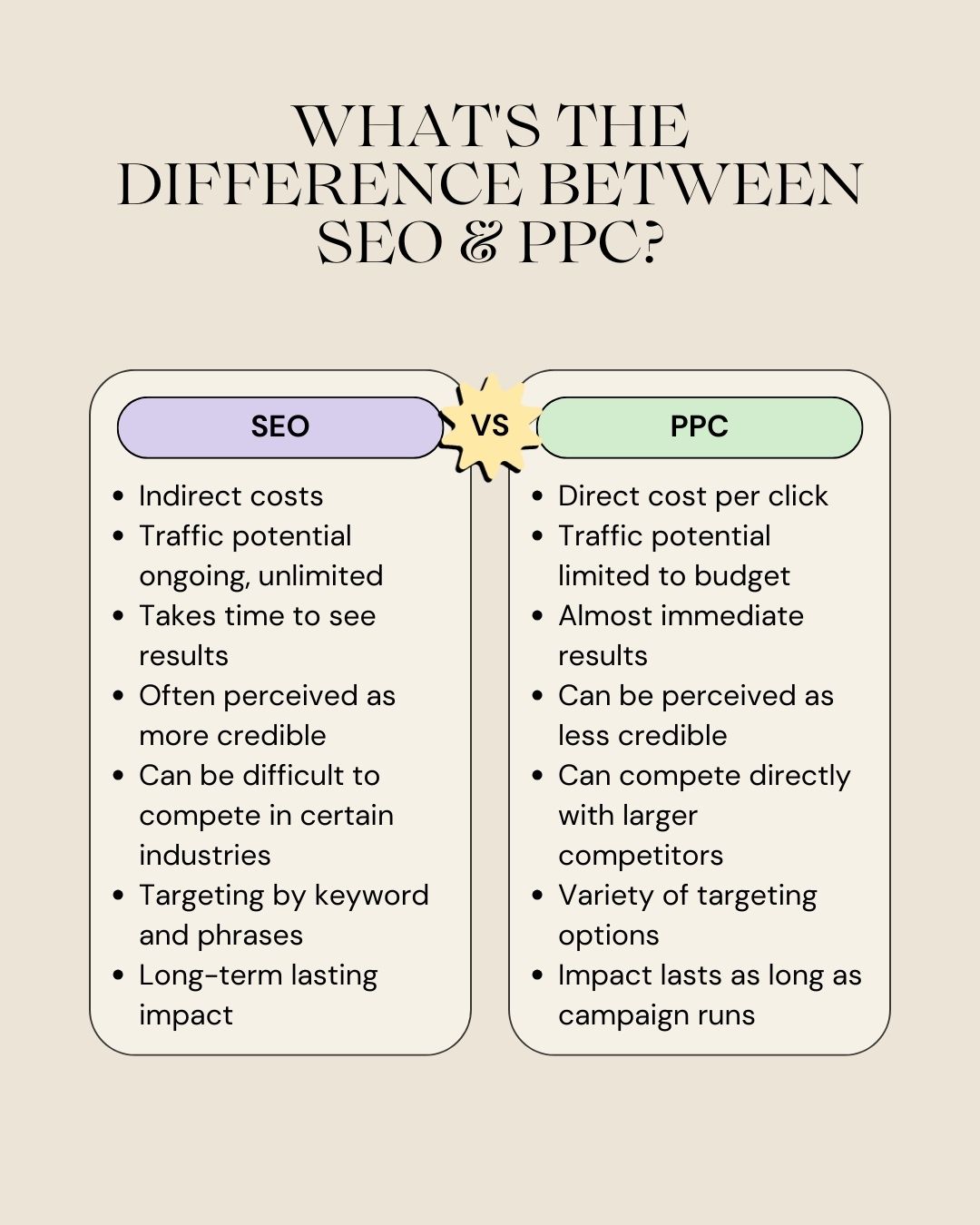
Investing in SEO has many business advantages but also has its downfalls.
Let’s take a look at some of the pros of SEO.
Even though you can reap massive rewards through good SEO, it doesn’t come without its pitfalls.
Defining key goals and measurement protocols from the start makes it easier to determine if your SEO efforts are paying off or if pivots are necessary.
Before deciding to invest in PPC, make sure to weigh the advantages and disadvantages.
Here are some of the key pros of PPC:
Like all other channels, PPC has its downfalls.
You should have a better idea of the pros and cons of both SEO and PPC.
Now it’s time to answer the burning question: SEO or PPC?
2nd Welcome to WordPress. This is your first post. Edit or delete it, then start writing!
4th Welcome to WordPress. This is your first post. Edit or delete it, then start writing!
In Google Analytics, the “Default Channel Grouping” is a predefined set of rules that categorizes incoming traffic into various channels. The “Session Default Channel Grouping” specifically refers to how Google Analytics assigns channels to sessions by default.
Here are the main default channel groupings in Google Analytics:
Direct: Traffic from users who directly typed your website URL into their browser or used a bookmark.
Organic Search: Traffic from search engines like Google, Bing, etc.
Paid Search: Traffic from paid advertising campaigns, typically from platforms like Google Ads.
Referral: Traffic from other websites that link to your site.
Social: Traffic from social media platforms.
Email: Traffic from links in emails.
Affiliates: Traffic from affiliate marketing efforts.
Display: Traffic from display advertising, such as banner ads.
Other Advertising: Traffic from advertising sources not covered by Paid Search, Display, or Social.
Other: This catch-all category includes traffic that doesn’t fit into any of the above groupings.
The “Session Default Channel Grouping” ensures that each session is categorized into one of these default channels based on the source and medium of the traffic. It provides a quick overview of how users are reaching your website, making it easier to analyze and understand the effectiveness of your marketing channels.
It’s worth noting that you can customize these default channel groupings or create your own custom channel groupings to align with your specific business needs and marketing strategies. Customization allows for a more granular analysis of your data based on your unique goals and objectives.
In Google Analytics, the “Default Channel Grouping” is a predefined set of rules that categorizes incoming traffic into various channels. The “Session Default Channel Grouping” specifically refers to how Google Analytics assigns channels to sessions by default.
Here are the main default channel groupings in Google Analytics:
Direct: Traffic from users who directly typed your website URL into their browser or used a bookmark.
Organic Search: Traffic from search engines like Google, Bing, etc.
Paid Search: Traffic from paid advertising campaigns, typically from platforms like Google Ads.
Referral: Traffic from other websites that link to your site.
Social: Traffic from social media platforms.
Email: Traffic from links in emails.
Affiliates: Traffic from affiliate marketing efforts.
Display: Traffic from display advertising, such as banner ads.
Other Advertising: Traffic from advertising sources not covered by Paid Search, Display, or Social.
Other: This catch-all category includes traffic that doesn’t fit into any of the above groupings.
The “Session Default Channel Grouping” ensures that each session is categorized into one of these default channels based on the source and medium of the traffic. It provides a quick overview of how users are reaching your website, making it easier to analyze and understand the effectiveness of your marketing channels.
It’s worth noting that you can customize these default channel groupings or create your own custom channel groupings to align with your specific business needs and marketing strategies. Customization allows for a more granular analysis of your data based on your unique goals and objectives.
In Google Analytics, the “Default Channel Grouping” is a predefined set of rules that categorizes incoming traffic into various channels. The “Session Default Channel Grouping” specifically refers to how Google Analytics assigns channels to sessions by default.
Here are the main default channel groupings in Google Analytics:
Direct: Traffic from users who directly typed your website URL into their browser or used a bookmark.
Organic Search: Traffic from search engines like Google, Bing, etc.
Paid Search: Traffic from paid advertising campaigns, typically from platforms like Google Ads.
Referral: Traffic from other websites that link to your site.
Social: Traffic from social media platforms.
Email: Traffic from links in emails.
Affiliates: Traffic from affiliate marketing efforts.
Display: Traffic from display advertising, such as banner ads.
Other Advertising: Traffic from advertising sources not covered by Paid Search, Display, or Social.
Other: This catch-all category includes traffic that doesn’t fit into any of the above groupings.
The “Session Default Channel Grouping” ensures that each session is categorized into one of these default channels based on the source and medium of the traffic. It provides a quick overview of how users are reaching your website, making it easier to analyze and understand the effectiveness of your marketing channels.
It’s worth noting that you can customize these default channel groupings or create your own custom channel groupings to align with your specific business needs and marketing strategies. Customization allows for a more granular analysis of your data based on your unique goals and objectives.
4th Welcome to WordPress. This is your first post. Edit or delete it, then start writing!
In Google Analytics, the “Default Channel Grouping” is a predefined set of rules that categorizes incoming traffic into various channels. The “Session Default Channel Grouping” specifically refers to how Google Analytics assigns channels to sessions by default.
Here are the main default channel groupings in Google Analytics:
Direct: Traffic from users who directly typed your website URL into their browser or used a bookmark.
Organic Search: Traffic from search engines like Google, Bing, etc.
Paid Search: Traffic from paid advertising campaigns, typically from platforms like Google Ads.
Referral: Traffic from other websites that link to your site.
Social: Traffic from social media platforms.
Email: Traffic from links in emails.
Welcome to WordPress. This is your first post. Edit or delete it, then start writing!
4th Welcome to WordPress. This is your first post. Edit or delete it, then start writing!
In Google Analytics, the “Default Channel Grouping” is a predefined set of rules that categorizes incoming traffic into various channels. The “Session Default Channel Grouping” specifically refers to how Google Analytics assigns channels to sessions by default.
Here are the main default channel groupings in Google Analytics:
Direct: Traffic from users who directly typed your website URL into their browser or used a bookmark.
Organic Search: Traffic from search engines like Google, Bing, etc.
Paid Search: Traffic from paid advertising campaigns, typically from platforms like Google Ads.
Referral: Traffic from other websites that link to your site.
Social: Traffic from social media platforms.
Email: Traffic from links in emails.
Affiliates: Traffic from affiliate marketing efforts.
Display: Traffic from display advertising, such as banner ads.
Other Advertising: Traffic from advertising sources not covered by Paid Search, Display, or Social.
Other: This catch-all category includes traffic that doesn’t fit into any of the above groupings.
The “Session Default Channel Grouping” ensures that each session is categorized into one of these default channels based on the source and medium of the traffic. It provides a quick overview of how users are reaching your website, making it easier to analyze and understand the effectiveness of your marketing channels.
It’s worth noting that you can customize these default channel groupings or create your own custom channel groupings to align with your specific business needs and marketing strategies. Customization allows for a more granular analysis of your data based on your unique goals and objectives.
In Google Analytics, the “Default Channel Grouping” is a predefined set of rules that categorizes incoming traffic into various channels. The “Session Default Channel Grouping” specifically refers to how Google Analytics assigns channels to sessions by default.
Here are the main default channel groupings in Google Analytics:
Direct: Traffic from users who directly typed your website URL into their browser or used a bookmark.
Organic Search: Traffic from search engines like Google, Bing, etc.
Paid Search: Traffic from paid advertising campaigns, typically from platforms like Google Ads.
Referral: Traffic from other websites that link to your site.
Social: Traffic from social media platforms.
Email: Traffic from links in emails.
Affiliates: Traffic from affiliate marketing efforts.
Display: Traffic from display advertising, such as banner ads.
Other Advertising: Traffic from advertising sources not covered by Paid Search, Display, or Social.
Other: This catch-all category includes traffic that doesn’t fit into any of the above groupings.
The “Session Default Channel Grouping” ensures that each session is categorized into one of these default channels based on the source and medium of the traffic. It provides a quick overview of how users are reaching your website, making it easier to analyze and understand the effectiveness of your marketing channels.
It’s worth noting that you can customize these default channel groupings or create your own custom channel groupings to align with your specific business needs and marketing strategies. Customization allows for a more granular analysis of your data based on your unique goals and objectives.
In Google Analytics, the “Default Channel Grouping” is a predefined set of rules that categorizes incoming traffic into various channels. The “Session Default Channel Grouping” specifically refers to how Google Analytics assigns channels to sessions by default.
Here are the main default channel groupings in Google Analytics:
Direct: Traffic from users who directly typed your website URL into their browser or used a bookmark.
Organic Search: Traffic from search engines like Google, Bing, etc.
Paid Search: Traffic from paid advertising campaigns, typically from platforms like Google Ads.
Referral: Traffic from other websites that link to your site.
Social: Traffic from social media platforms.
Email: Traffic from links in emails.
Affiliates: Traffic from affiliate marketing efforts.
Display: Traffic from display advertising, such as banner ads.
Other Advertising: Traffic from advertising sources not covered by Paid Search, Display, or Social.
Other: This catch-all category includes traffic that doesn’t fit into any of the above groupings.
The “Session Default Channel Grouping” ensures that each session is categorized into one of these default channels based on the source and medium of the traffic. It provides a quick overview of how users are reaching your website, making it easier to analyze and understand the effectiveness of your marketing channels.
It’s worth noting that you can customize these default channel groupings or create your own custom channel groupings to align with your specific business needs and marketing strategies. Customization allows for a more granular analysis of your data based on your unique goals and objectives.
4th Welcome to WordPress. This is your first post. Edit or delete it, then start writing!
In Google Analytics, the “Default Channel Grouping” is a predefined set of rules that categorizes incoming traffic into various channels. The “Session Default Channel Grouping” specifically refers to how Google Analytics assigns channels to sessions by default.
Here are the main default channel groupings in Google Analytics:
Direct: Traffic from users who directly typed your website URL into their browser or used a bookmark.
Organic Search: Traffic from search engines like Google, Bing, etc.
Paid Search: Traffic from paid advertising campaigns, typically from platforms like Google Ads.
Referral: Traffic from other websites that link to your site.
Social: Traffic from social media platforms.
Email: Traffic from links in emails.
Affiliates: Traffic from affiliate marketing efforts.
Display: Traffic from display advertising, such as banner ads.
Other Advertising: Traffic from advertising sources not covered by Paid Search, Display, or Social.
Other: This catch-all category includes traffic that doesn’t fit into any of the above groupings.
The “Session Default Channel Grouping” ensures that each session is categorized into one of these default channels based on the source and medium of the traffic. It provides a quick overview of how users are reaching your website, making it easier to analyze and understand the effectiveness of your marketing channels.
It’s worth noting that you can customize these default channel groupings or create your own custom channel groupings to align with your specific business needs and marketing strategies. Customization allows for a more granular analysis of your data based on your unique goals and objectives.
In Google Analytics, the “Default Channel Grouping” is a predefined set of rules that categorizes incoming traffic into various channels. The “Session Default Channel Grouping” specifically refers to how Google Analytics assigns channels to sessions by default.
Here are the main default channel groupings in Google Analytics:
Direct: Traffic from users who directly typed your website URL into their browser or used a bookmark.
Organic Search: Traffic from search engines like Google, Bing, etc.
Paid Search: Traffic from paid advertising campaigns, typically from platforms like Google Ads.
Referral: Traffic from other websites that link to your site.
Social: Traffic from social media platforms.
Email: Traffic from links in emails.
Affiliates: Traffic from affiliate marketing efforts.
Display: Traffic from display advertising, such as banner ads.
Other Advertising: Traffic from advertising sources not covered by Paid Search, Display, or Social.
Other: This catch-all category includes traffic that doesn’t fit into any of the above groupings.
The “Session Default Channel Grouping” ensures that each session is categorized into one of these default channels based on the source and medium of the traffic. It provides a quick overview of how users are reaching your website, making it easier to analyze and understand the effectiveness of your marketing channels.
It’s worth noting that you can customize these default channel groupings or create your own custom channel groupings to align with your specific business needs and marketing strategies. Customization allows for a more granular analysis of your data based on your unique goals and objectives.
In Google Analytics, the “Default Channel Grouping” is a predefined set of rules that categorizes incoming traffic into various channels. The “Session Default Channel Grouping” specifically refers to how Google Analytics assigns channels to sessions by default.
Here are the main default channel groupings in Google Analytics:
Direct: Traffic from users who directly typed your website URL into their browser or used a bookmark.
Organic Search: Traffic from search engines like Google, Bing, etc.